
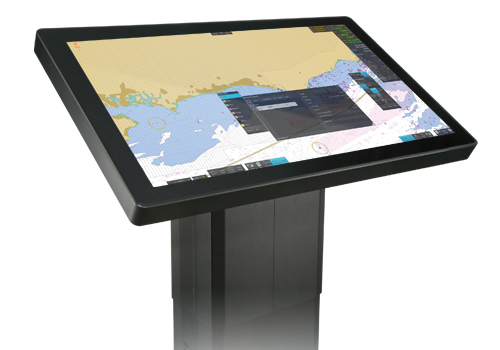
- Voyage Planning System
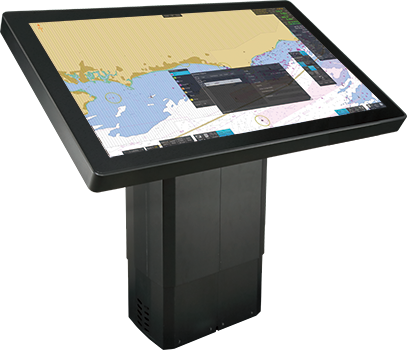
Planning Station
Model
PS-100
- NEW
From voyage planning to monitoring, supporting safer and more efficient navigation
FURUNO’s unique rendering technology enables high-speed drawing and seamless operation on 4K-compatible high-definition charts (ENC)
- Merchant Marine
Features
Compliant with IACS UR E27*
- For IACS UR E27, click here.
Remarkably seamless operability
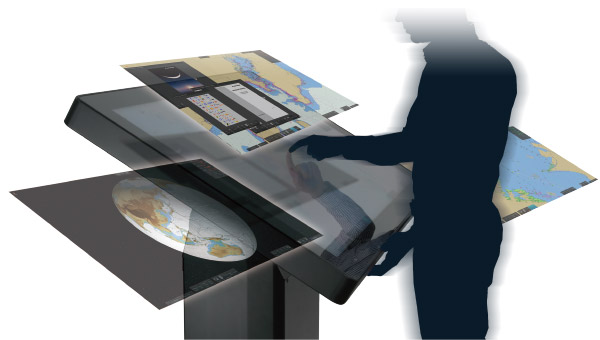
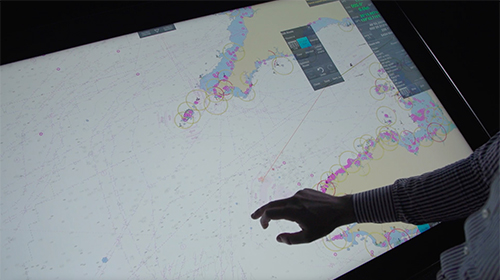
This product features 4K high-definition images that are suitable for large-screen displays, while also achieving smooth operation that does not cause stress during operation.
Graphic user interface specifically designed for voyage planning
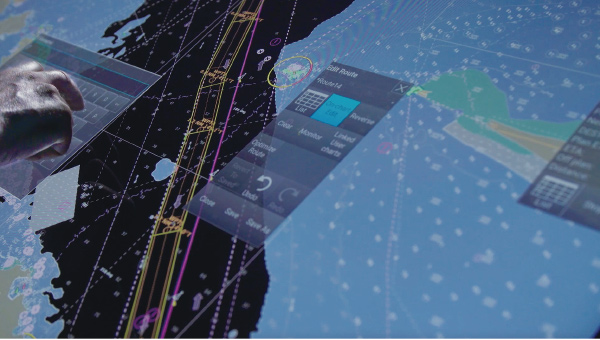
Touchscreen interface for easy and intuitive use. Floating windows allow you to move settings screens, information frames, and documents to any location within the frame with one touch.
Useful functions for voyage planning and the monitoring
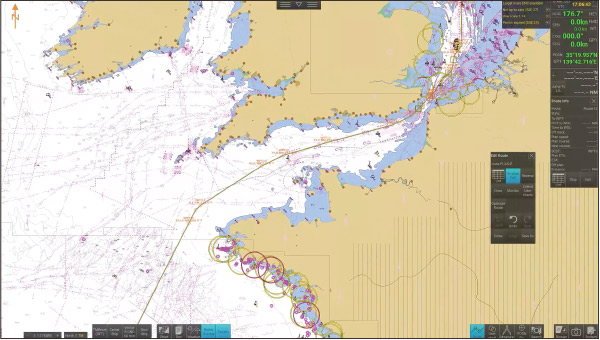
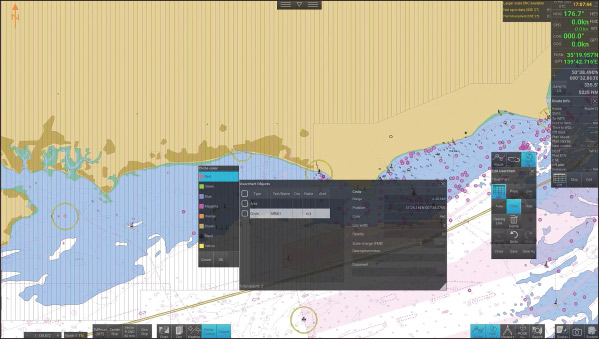
Create route/user chart
You can easily create new routes, edit existing routes, and create new points, lines, areas, and circles by simply tapping the screen.
Calculate recommended ship speed
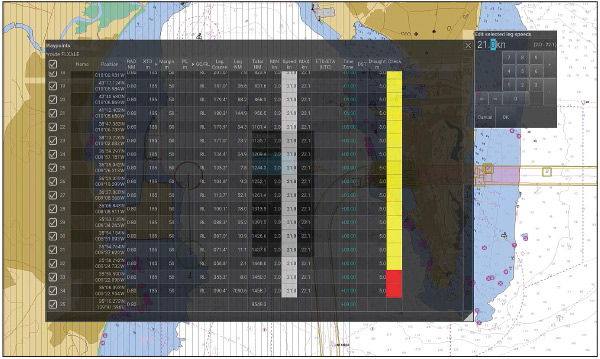
Green: Nothing found
Yellow: Cautions found
Red: Safety contour warning
By setting ETD/ETA*1 for each waypoint in the route, the recommended ship’s speed can be calculated and displayed automatically. In addition, the results of the route analysis in your planning routes are automatically displayed with green, yellow, and red color-coded status.
- At least one waypoint must be set. If the ETA for that waypoint is not the final destination, the remaining route will be calculated based on the maximum ship speed.
- Automatic calculation using the maximum ship speed set in the ship's parameters and taking into account various information.
Route comparison/route playback function
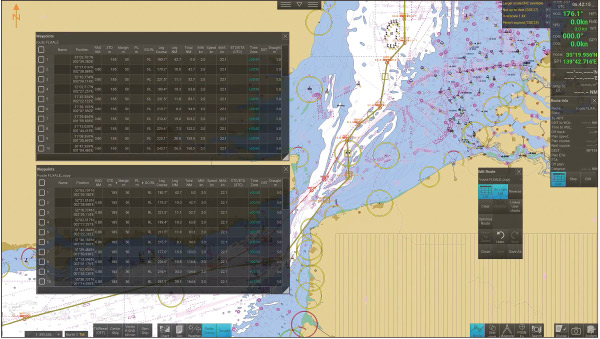
Display and review multiple routes for comparison, including those you wish to assess and those previously utilized. This feature proves valuable for sharing information among crew members.
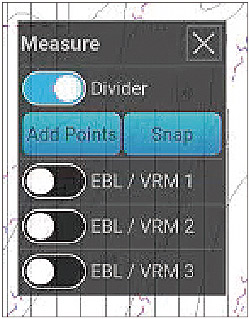
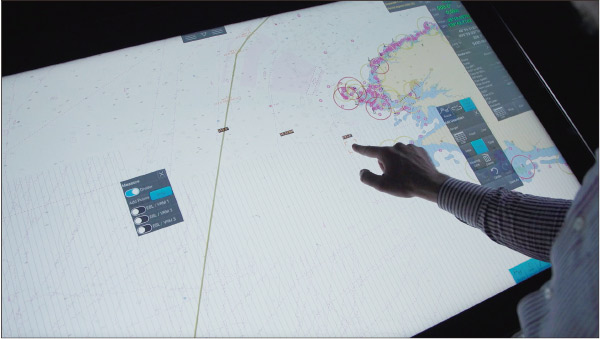
Divider
The divider can be used to measure distance between two or more points.
EBL/VRM
Three sets of EBL/VRM can be used for measuring bearing and distance.
Sensor information
The heading, speed, course over ground, speed over ground, and own ship position are displayed on the ENC chart.
The own ship symbol is displayed on the ENC chart, and the position information of the own ship is automatically recorded as a voyage log along with the sensor information.
Radar information*
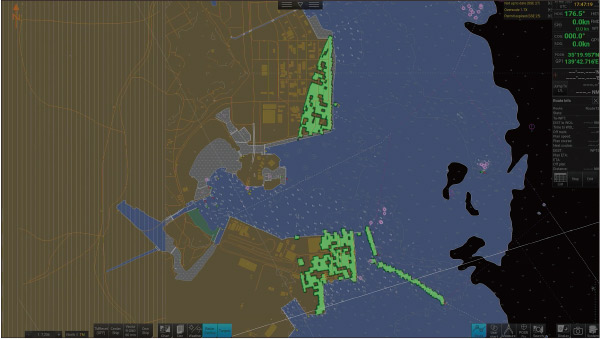
With a single click on the menu, you can overlay radar images and check landforms and sea obstacles. It is also possible to superimpose the trail display.
- ECDIS, radar, and AIS receiver must be connected to the same network.
Target information*
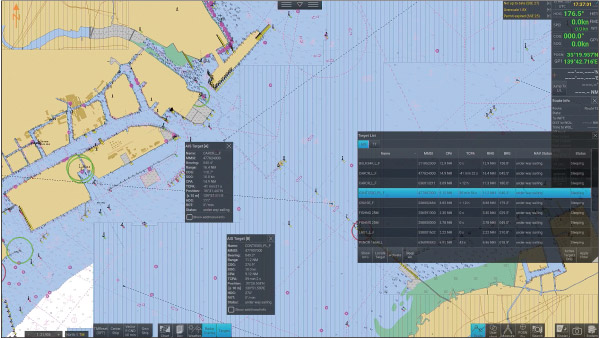
AIS target information and TT information can be displayed. In addition, you can select the display status (target information, position display, filter addition, selected target pause/activation, etc.) from the list of targets.
- ECDIS, radar, and AIS receiver must be connected to the same network.
Passage Plan
Passage Plan displays the planned route on a timeline, showing scheduled waypoint passages, sunrise and sunset times, and other key events in a clear visual format.When you drag the cursor, the shipʼs position advances along the planned route.

Weather information
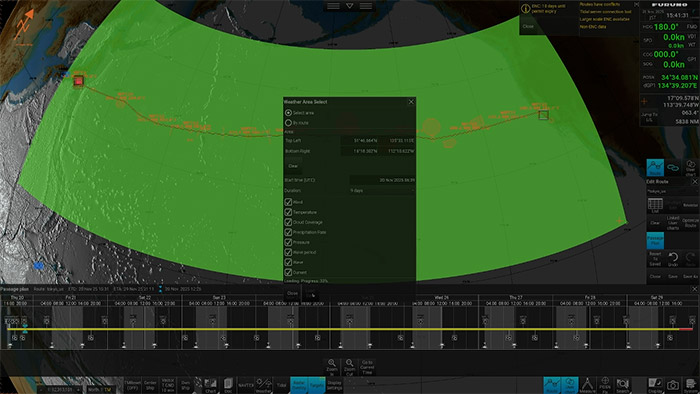
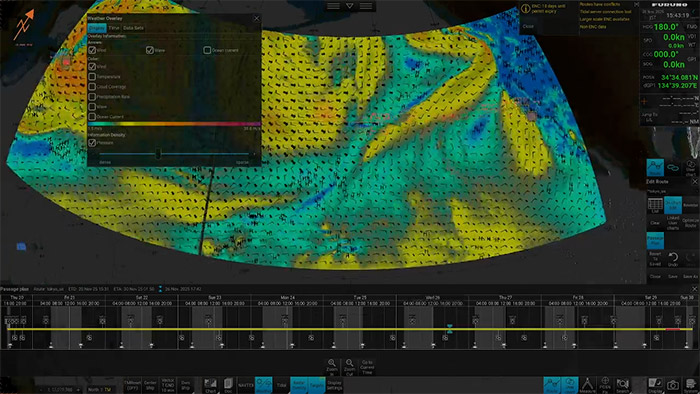
In addition to importing GRIB1 (.grb) data, weather information can also be obtained via the Internet.* Weather data such as wind, waves, and currents can be overlaid on the chart.
- Gate-1 connection and an optional contract are required.
Automatic synchronization with ECDIS eliminates the hassle of data transfer (*same network connection required)
ECDIS Integration*
Routes and user charts created with the PS-100 and ECDIS can be shared between units. Data that is created or modified is automatically distributed to other units, eliminating the need for manual data migration.
- ECDIS, radar, and AIS receiver must be connected to the same network.
FMD-3xxxSeries, FAR-3xxxSeries: version 5.03 or later
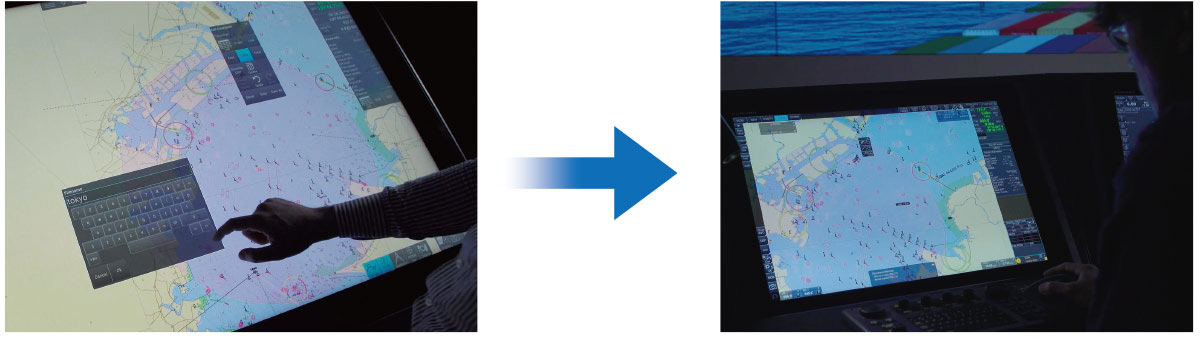
Call the same Circle from ECDIS created by PS-100.
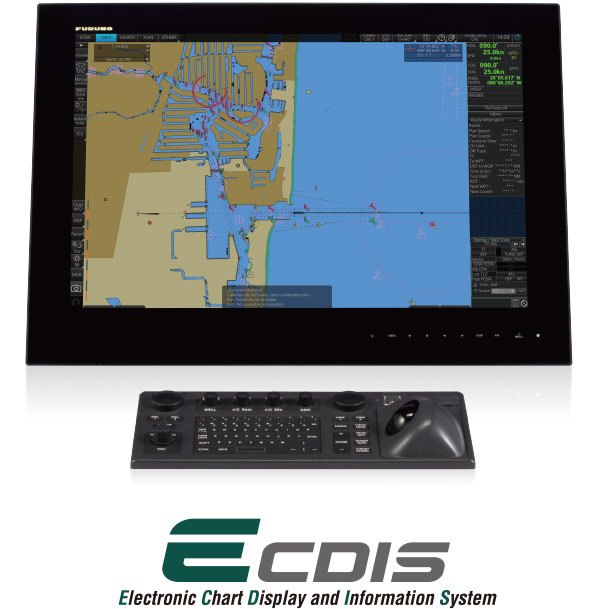
Shareable Data
- Charts
- Route files
- User chart
- Own ship parameters
- Sensor information used by ECDIS
- Radar overlay
- Own ship setting
- Voyage log
NAVTEX Viewing
By selecting the NAVTEX button on the screen, you can view NAVTEX messages received by the ECDIS.
NAPA Voyage Optimization improves voyage efficiency by optimizing route and speed profiles with the Planning Station
Voyage Optimization, an operation performance optimization service provided by NAPA, can be accessed through Service Gateway Gate-1 (optional). NAPA Voyage Optimization is a solution that leverages a vessel's unique performance model to optimize the voyage plan (route/vessel speed allocation), enhance operational safety, and decrease fuel consumption and GHG emissions.
- Option contact required.
Service Gateway Gate-1 (option)
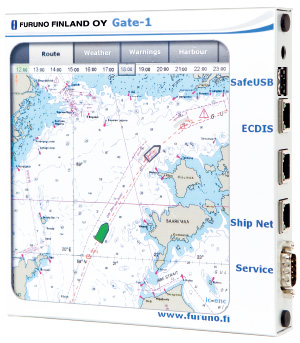
- Chart can be automatically updated by purchasing and updating chart licenses via Gate-1.
- Compatible with UKHO charts (raster/ENC)*1
- Pay as You Sail (PAYS) available*2
- UKHO contract required.
- 2 PAYS contract required.
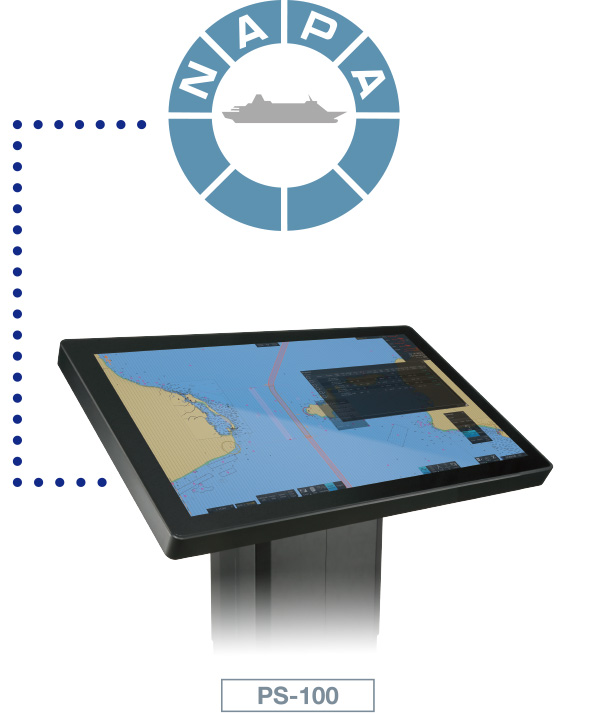
Please check here about NAPA Voyage Optimization.
Contributes to sharing information easily during your briefing/debriefing meetings.
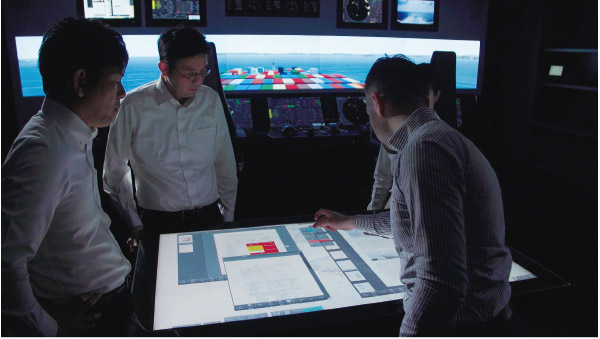
The Planning Station can centrally manage information and display route comparisons and playback on a large screen.
Document Viewing
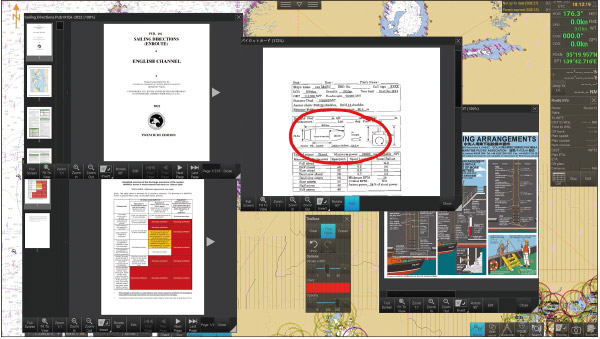
You can centrally manage information by importing documents into the planning station. In addition, by attaching documents to any user chart object, you can efficiently view and share information in the sea areas and timings where confirmation of documents is required.
Imported videos can be played back without audio.
Schedule management
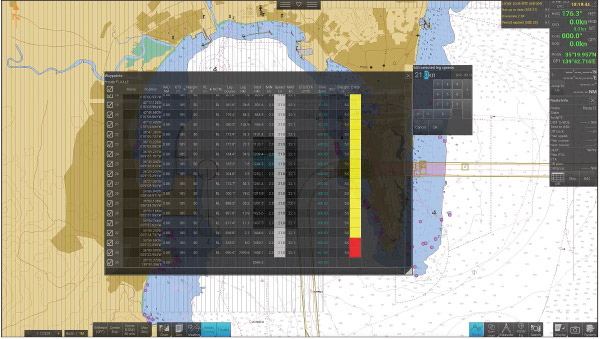
Enter the speed to calculate the estimated arrival time, and set the ETA to the waypoint to automatically calculate the speed.
Specifications
General
Functions
Route planning, Route monitoring, User chart, Own ship’s mark, Weather forecast*¹, ENC chart, Document viewer, Position fixing, Voyage log, Playback log, Radar overlay, Tidal overlay*²
*1 grib file required. *2 future planning
Mark/Data
Own ship’s speed/course/position, Clock/Time zone, Color pallet, Screenshot, System reboot, Route, User chart, Search, Target tracking control, Graph, User interface switching, Safety message
Interface
LAN
1 port、Ethernet 100Base-TX/1000Base-T、RJ45
Data sentences
IEC61162-1/2
Input
GGA, GLL, GNS, HDT, OSD, THS, TLB, TTD, TTM, RMC, ROT, VBW, VDM, VDO, VHW, VTG, ZDA
Equipment List
Option
Processor unit (Local supply)
CPU
Core i7 9th generation or later
Clock
2.4 GHz or more
Grahic board
Nvidia Quadro P2200 or later
Memory
RAM: 16 GB, SSD: 240 GB
Power Supply
350 W or more
Monitor (Local supply)
Type
Touch monitor
Brightness
3840 x 2160 (4K)
Size
55 inch, 32 inch
Brightness
55 inch: 450 cd/m²
32 inch: 350 cd/m²
Output power
55 inch: 115-230/VAC 50/60 Hz
32 inch: 100-240 VAC 50/60 Hz, 24 VDC
Number of ports
HDMI (1.4)input
55 inch: 2 ports
32 inch: -
HDMI (2.0)input
55 inch: 1 port
32 inch: 1 port
DisplayPort (1.2)input
55 inch: 1 port
32 inch: 1 port
USB TYPE A
55 inch: 1 port
32 inch: 1 port
RS-422/485
55 inch: 1 port
32 inch: 1 port
RS-232C
55 inch: 1 port
32 inch: 1 port
Ethernet
55 inch: 1 port
32 inch: 1 port
Analog input
55 inch: 1 port
32 inch: 1 port
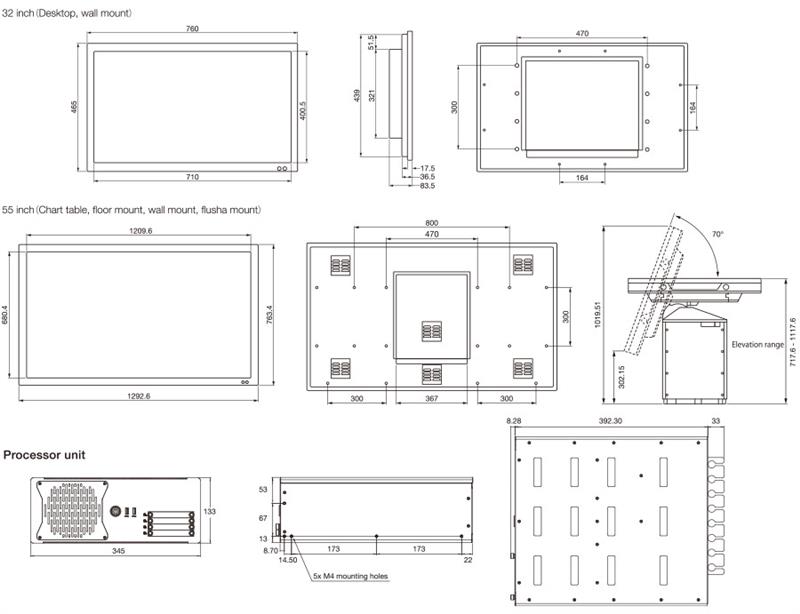
Drawing
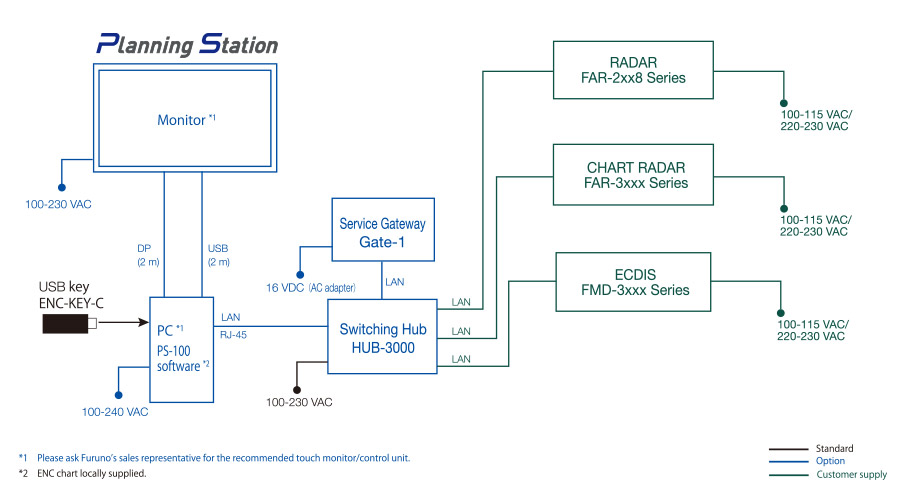
Interconnection Diagram
Downloads
| Name | Last update |
|---|---|
| Jul 1, 2026 |
Distributors of Marine Equipment
Contact a local distributor for further details.
- Specifications subject to change without notice.
Voyage Planning System Product List
There are no products that meet the conditions.
Support
Support for Legacy Products
Downloads
Furuno Marine Sensor SDK
Service Provision Scheme
Quality Assurance
Locate a Distributor
Contact
Support for Legacy Products
Downloads
Furuno Marine Sensor SDK
Quality Assurance
Locate a Distributor
Contact
Support for Legacy Products
Downloads
Furuno Marine Sensor SDK
Warranty Policy
Quality Assurance
Locate a Distributor
Contact
Support for Legacy Products
Downloads
Furuno Marine Sensor SDK
Quality Assurance
Locate a Distributor
Contact
Support for Legacy Products
Downloads
Furuno Marine Sensor SDK
Quality Assurance
Locate a Distributor
Navigation
Communication
Other Marine Equipment
Marine Solution
Monitoring Solution
Maritime Training